
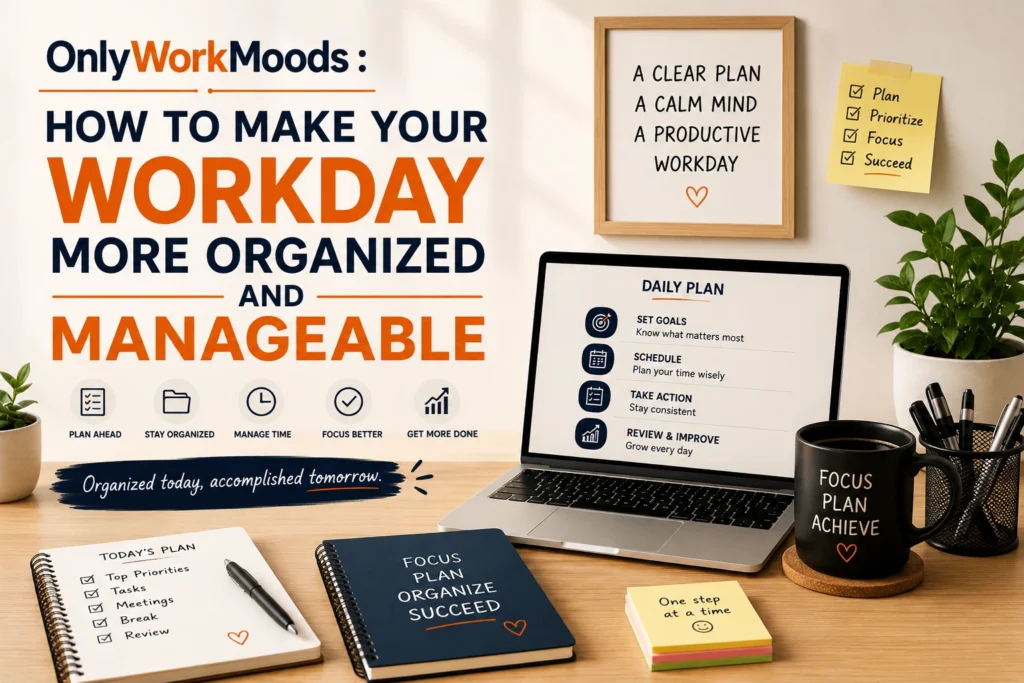
OnlyWorkMoods : How to Make Your Workday More Organized and Manageable?
Introduction
A workday can become overwhelming even when you have a clear list of responsibilities. One task leads to another, messages interrupt your concentration, meetings fill the calendar, and smaller jobs keep getting pushed to the end of the day.
Learning how to organize your workday can make those responsibilities easier to manage. The goal isn’t to squeeze more work into every available minute. Instead, good organization helps you understand what deserves your attention, when to focus, and what can wait.
Whether you work in an office, work remotely, study while preparing for a career, or manage several projects at once, a few practical habits can create more structure. This guide explains how to organize your day without turning productivity into another source of pressure.
What Does It Mean to Organize Your Workday?
Organizing your workday means creating a practical system for deciding what you will work on, when you will work on it, and how you will handle interruptions.
It can involve:
- Prioritizing important tasks
- Planning your schedule
- Organizing information
- Managing communication
- Creating focused work periods
- Taking appropriate breaks
- Reviewing your progress
Good organization is less about doing everything and more about knowing what matters most.
A simple plan can often be more useful than a complicated productivity system that takes too much effort to maintain.
Start Your Day With a Clear Priority
One common reason workdays feel chaotic is that everything appears equally important.
Instead of beginning with a huge task list, identify the work that deserves your attention first.
Ask yourself:
“What is the most useful thing I can complete today?”
It might be:
- Finishing an important project
- Preparing a client presentation
- Writing a report
- Completing a deadline-sensitive task
- Reviewing important documents
- Solving a problem that is blocking other work
Once you know the main priority, it becomes easier to decide what should happen next.
Use Three Simple Categories
You can organize your tasks into:
Important: Work that has significant consequences or value.
Routine: Work that needs to be completed but doesn’t require your strongest concentration.
Optional: Work that would be useful if time is available.
This prevents less important activities from taking over your entire day.
Create a Short Daily Task List
A long task list can give you the impression that you’re already behind before work even begins.
Instead, create a manageable list.
For example:
Today’s priorities
- Finish the project draft.
- Respond to important client messages.
- Review tomorrow’s presentation.
Smaller tasks
- Organize files
- Schedule a meeting
- Review notes
- Update a spreadsheet
This structure gives you a clear distinction between major work and maintenance work.
You can still keep a larger master list elsewhere, but your daily list should remain focused.
Plan Around Your Most Important Work
Not every task requires the same level of attention.
Writing, analysis, planning, designing, studying, and problem-solving often require more concentration than routine administrative work.
If possible, schedule demanding tasks during the part of the day when you generally feel most alert.
For example:
| Work Period | Suitable Tasks |
|---|---|
| Early day | Deep work, writing, planning |
| Midday | Meetings and collaboration |
| Later day | Administration and routine work |
| Final period | Review and preparation |
This isn’t a universal schedule. Your responsibilities and energy levels may be completely different.
The important idea is to match demanding work with periods when you can concentrate.
Stop Letting Small Tasks Control the Day
Small tasks can feel productive because they’re easy to complete.
You answer an email, update a document, check a notification, reply to a message, and suddenly an hour has passed.
Some small tasks are necessary, but they shouldn’t automatically become your highest priority.
Try grouping similar activities together.
Instead of:
- Check email
- Work
- Check messages
- Update document
- Check email
- Work
- Answer another message
Try creating a communication period where you handle several related tasks together.
This can make your workflow feel more organized.
Organize Your Workspace
Your physical or digital workspace can influence how easily you find what you need.
You don’t need a perfectly minimalist desk.
Instead, focus on reducing unnecessary friction.
Physical workspace
Keep frequently used items easy to access and remove things that regularly distract you.
Digital workspace
Consider organizing:
- Important folders
- Frequently used documents
- Browser bookmarks
- Project files
- Desktop shortcuts
- Work-related applications
A few minutes spent organizing information can save repeated searching later.
Keep One Reliable Place for Tasks
One problem with task management is having information scattered everywhere.
You might have:
- Notes on your phone
- Reminders in an app
- Tasks in email
- Sticky notes on your desk
- Messages containing deadlines
- Documents with additional instructions
This can make it difficult to know what actually needs to be done.
Choose one primary task-management location that works for you.
It could be:
- A notebook
- A simple notes app
- A task-management application
- A calendar
- A project-management system
The specific tool matters less than using it consistently.
Separate Your Calendar From Your Task List
A calendar answers:
“When does something happen?”
A task list answers:
“What needs to be done?”
They are related but not identical.
For example:
Calendar:
10:00 — Team meeting
Task list:
Prepare discussion points for team meeting
This distinction can make planning clearer.
Not every task needs its own calendar appointment, and not every calendar event is something you need to complete.
Protect Focused Work
If your work requires concentration, create periods where interruptions are limited.
During these periods, you might:
- Silence unnecessary notifications
- Close unrelated applications
- Put your phone aside when practical
- Avoid checking email repeatedly
- Work from a quieter location
- Keep only the necessary documents open
You don’t have to eliminate every interruption.
The goal is simply to create some space where your attention isn’t constantly being redirected.
Learn to Handle Unexpected Work
Even the best plan can change.
A client may request something urgently. A meeting may be added. A technical problem may appear. A colleague may need help.
Instead of planning every minute, leave some flexibility.
Think of your schedule in blocks
Rather than:
9:00–9:30: Task A
9:30–10:00: Task B
10:00–10:30: Task C
10:30–11:00: Task D
You could think:
Morning: Priority work
Midday: Communication and meetings
Afternoon: Projects and routine tasks
End of day: Review and preparation
This gives you direction without making the schedule too fragile.
Take Breaks Without Turning Them Into Another Task
A well-organized workday needs room to step away.
A break can be as simple as:
- Getting water
- Walking around
- Stretching
- Looking away from the screen
- Having lunch away from your desk
- Spending a few quiet minutes without work-related information
The point isn’t to optimize every break.
It’s to recognize that continuously sitting in front of a task isn’t the only way to structure a working day.
Use a Simple Method for Difficult Tasks
Sometimes organization isn’t the problem. The task itself feels too large.
When that happens, break it into smaller actions.
Instead of:
“Complete the report.”
Write:
- Gather the required information.
- Review previous notes.
- Create an outline.
- Write the first section.
- Complete the remaining sections.
- Review the document.
- Submit the final version.
The smaller steps make the starting point clearer.
This approach can be especially useful when a project has been sitting on your task list for several days.
Don’t Treat Every Notification as Urgent
Notifications create the feeling that something needs immediate attention.
But a notification is simply an alert. It doesn’t automatically determine its priority.
When a message appears, ask:
Does this need an immediate response?
If not, continue your current task and handle the message during an appropriate communication period.
This small habit can help protect your attention.
Create an End-of-Day Review
Organization isn’t only about starting well.
Before finishing work, spend a few minutes reviewing your day.
Ask:
- What did I complete?
- What remains unfinished?
- Is anything genuinely urgent?
- What should I start with tomorrow?
- Did something unexpected change my priorities?
Then prepare your first priority for the next working day.
This gives you a cleaner starting point tomorrow.
Example of an Organized Workday
Here’s a simple example:
| Time | Activity |
|---|---|
| Start | Review schedule and priorities |
| Morning | Focused work on the main priority |
| Mid-morning | Communication and smaller tasks |
| Midday | Break and reset |
| Afternoon | Meetings, collaboration, or project work |
| Later afternoon | Routine tasks |
| End of day | Review, organize, and prepare |
You can adjust this structure according to your job.
Someone working in customer support may need frequent communication throughout the day, while a writer or designer may need longer periods of uninterrupted work.
There is no single perfect schedule.
Common Workday Organization Mistakes
Trying to do everything
A daily plan becomes ineffective when every possible task is treated as a priority.
Better approach: Focus on the work that matters most.
Planning without doing
Spending too much time adjusting your productivity system can become another distraction.
Better approach: Create a simple plan and start working.
Ignoring your actual workload
A schedule may look reasonable on paper but become impossible when meetings and regular responsibilities are included.
Better approach: Build your plan around what your job actually requires.
Constantly switching tools
Moving between multiple apps can make information harder to track.
Better approach: Keep your core planning system simple.
Never reviewing your routine
A routine can become outdated as responsibilities change.
Better approach: Review your approach periodically and remove habits that no longer help.
A 10-Minute Workday Organization Checklist
If you want something extremely simple, try this at the beginning of each day:
Minute 1–2: Check your schedule
Look at meetings, deadlines, and important commitments.
Minute 3–4: Choose your main priority
Identify the task that deserves your strongest attention.
Minute 5–6: Review smaller tasks
Choose a few realistic secondary tasks.
Minute 7–8: Remove distractions
Close unnecessary tabs and silence non-essential notifications.
Minute 9–10: Start
Don’t spend another twenty minutes perfecting the plan.
Begin the first task.
How to Know If Your Workday Is Becoming More Organized
You don’t need to measure everything.
Look for practical signs:
- You know what to work on when you start.
- Important tasks are less likely to be forgotten.
- You spend less time searching for information.
- You have clearer boundaries between tasks.
- You aren’t constantly rebuilding your schedule.
- You finish more days knowing what needs attention tomorrow.
- Your task list feels understandable rather than overwhelming.
These are more useful indicators than simply counting how many tasks you completed.
Frequently Asked Questions
How can I organize my workday better?
Start by identifying your most important task, creating a short daily list, and grouping similar activities together. Add focused work periods, reasonable breaks, and a brief end-of-day review.
What should I do first at work?
Start with the task that is most important or time-sensitive rather than automatically beginning with email or easy administrative work. If your role requires immediate communication, handle urgent messages first and then move to your main priority.
How many tasks should I put on my daily list?
There is no universal number because different jobs have different workloads. Keep your main list realistic and separate major priorities from smaller tasks so that everything doesn’t appear equally urgent.
How do I organize my work when I have too many tasks?
Separate tasks by importance and urgency, then identify what genuinely needs attention first. Break large projects into smaller actions and move lower-priority work to a later date when appropriate.
How can I stay organized while working from home?
Use a consistent place for tasks, establish a basic start and end routine, and create boundaries around focused work. Keeping work-related information organized can also make it easier to switch between home and professional responsibilities.
Should I plan my entire workday in advance?
Planning the basic structure of your day can be helpful, but you don’t need to schedule every minute. Leave room for unexpected requests, meetings, and changes in priorities.
Conclusion
Learning how to organize your workday doesn’t require an elaborate productivity system.
Start with the fundamentals: know your priorities, keep your task list manageable, protect time for focused work, group similar activities, organize your workspace, and finish each day with a short review.
Most importantly, create a system that fits your actual work, not an imaginary perfect workday.
Your routine can change as your responsibilities change. What matters is having enough structure to know where your attention should go without making the structure itself another source of pressure.
For more practical ideas about work habits, productivity, and creating a better relationship with your working day, explore OnlyWorkMoods.