
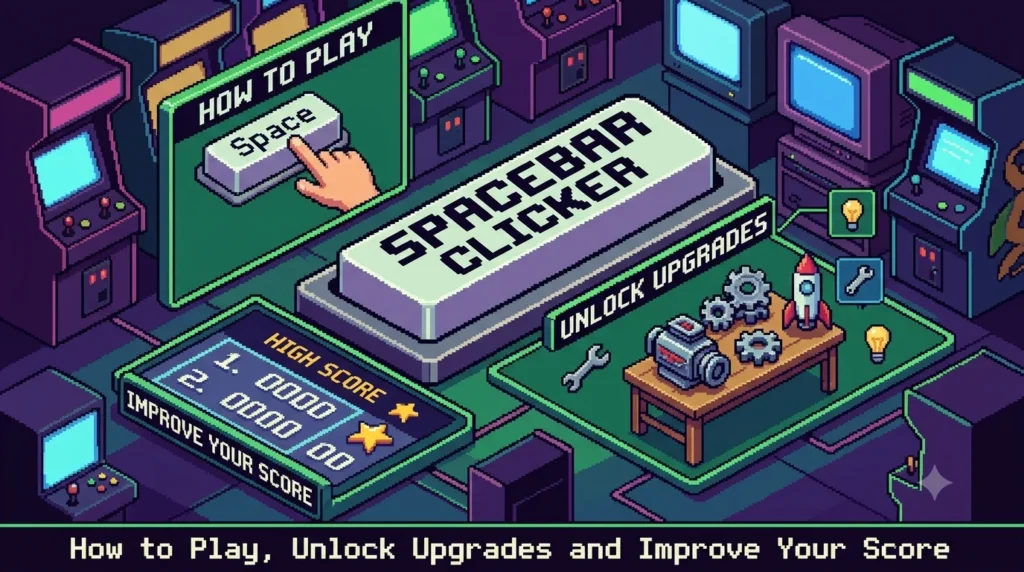
Spacebar Clicker Explained: How to Play, Unlock Upgrades and Improve Your Score.
Introduction
Sometimes, the simplest games are the hardest to put down. Spacebar Clicker is built around one familiar keyboard key: the spacebar. Press it repeatedly, watch your score increase and, in versions with upgrade systems, use your points to unlock features that help you progress faster.
The concept is easy to understand, which makes the game accessible to beginners. However, the experience can become more strategic when players must decide whether to keep clicking manually, purchase an upgrade or wait for automatic point generation.
Spacebar Clicker also belongs to a wider category of browser-based clicker games. Some versions focus on speed and timed challenges, while others include idle progression, upgrades and increasingly expensive rewards. The exact features depend on the version you choose.
Spacebar Clicker is a simple online game in which players press or tap a spacebar control to increase a score, with some versions adding upgrades and automatic point generation. Its appeal comes from straightforward controls, visible progress and the challenge of improving your results.
This guide explains how to play, how upgrade systems generally work, which strategies can help you progress and what to check before using an unfamiliar game website.
Quick Answer: What Is Spacebar Clicker?
Spacebar Clicker is a browser-game concept centred on repeatedly pressing the spacebar to earn points or clicks. Depending on the version, players may also buy upgrades, increase their clicking efficiency and generate points automatically.
| Feature | What to know |
|---|---|
| Game type | Clicker or idle game, depending on the version |
| Main control | Press the spacebar |
| Alternative control | Some versions provide an on-screen button |
| Main objective | Increase your score or click total |
| Upgrade systems | Available in many, but not all, versions |
| Automatic progress | Supported by versions with idle upgrades |
| Timed challenges | Available in certain versions |
| Typical audience | Casual players and fans of incremental games |
| Installation | Many browser versions run without a separate download |
| Best strategy | Learn the version’s mechanics and use upgrades efficiently |
The first step is to confirm which version you are playing. Features, upgrade names, save systems and scoring rules are not necessarily identical across websites.
1. What Is Spacebar Clicker?
Spacebar Clicker is a casual game built around a familiar action: pressing the spacebar repeatedly to increase a score.
The basic idea is straightforward. Every successful press registers an action, and the game updates the counter. In versions with progression mechanics, players can spend accumulated points on upgrades that increase their earning rate.
Some versions resemble a clicking-speed test, where the goal is to record as many presses as possible within a limited period. Others work more like idle games, where purchased upgrades continue producing points without constant manual input. Examples of these variations can be found on Spacebar Clicker at What Games Play and Spacebar Clicker at CPS Test.
A simple concept with a progression loop
The basic gameplay often follows this cycle:
- Press the spacebar to earn points.
- Accumulate enough points to unlock an upgrade, if the version includes upgrades.
- Purchase an upgrade to improve your progress.
- Continue clicking or allow passive production to generate points.
- Repeat the process to reach higher scores.
This loop gives players a clear objective without requiring complex controls or a long tutorial.
Why is the game appealing?
One reason is immediate feedback. The score changes as you play, so your actions produce a visible result.
Another is progression. In idle-style versions, early progress may feel slow, but upgrades can increase the rate at which points accumulate. This creates a reason to continue playing and experiment with different purchasing decisions.
The short learning curve also makes the game easy to try during a brief break. However, players should still take breaks during extended sessions, particularly when repeated keyboard movements cause discomfort.
2. How Does Spacebar Clicker Work?
Although the details vary, most versions use a small set of common mechanics.
Manual spacebar presses
In the simplest version, each registered spacebar press increases your score.
For example, if the game awards one point per press and you successfully register 100 presses, your score increases by 100 points. This is a hypothetical illustration; the actual scoring rule depends on the version.
The challenge is to maintain a consistent rhythm without accidentally missing presses or becoming uncomfortable.
Points and progression
Some versions use the points you earn as an in-game currency. Once your balance reaches a required amount, you can purchase an upgrade.
Early upgrades are often relatively affordable. Later options may cost substantially more, encouraging players to improve their earning rate before attempting expensive purchases.
The names, prices and effects of upgrades can differ across implementations, so follow the information displayed in your game’s own interface.
Automatic point generation
Idle-style versions may include helpers, machines or other upgrades that generate points over time.
This changes the strategy. Instead of relying entirely on manual presses, you can invest in upgrades that continue earning while you are not actively clicking.
For example, an upgrade that generates a small number of points each second may seem insignificant at first. Over a longer period, however, its accumulated output can help fund the next purchase.
Clicking multipliers
Some versions include upgrades that increase the value of each manual press.
Suppose a game gives you one point per press. A hypothetical two-times multiplier would increase that to two points per press. A further multiplier might increase the value again, depending on the game’s rules.
It is important to distinguish a manual multiplier from an automatic generator. One increases the value of your own presses; the other produces points over time.
3. How to Play Spacebar Clicker Step by Step
Getting started is usually simple, even if you have never played an incremental game before.
Step 1: Open a version of the game
Choose a browser version from a website you trust. Confirm that the page contains the game you intended to play and review its controls before interacting with it.
Many versions can be played directly in a browser without installing separate software. Nevertheless, check the individual site’s requirements.
Step 2: Find the main spacebar control
Once the game loads, look for the score counter and the main clicking area.
On a desktop computer, the spacebar is usually the primary control. Certain versions also offer a button on the screen, which can be useful if you are using a touchscreen device or prefer not to use the keyboard.
Step 3: Start earning points
Press the spacebar repeatedly and watch the score.
If the game includes a timer, check how long your attempt lasts. For an endless or idle mode, focus on building enough points to reach the first available upgrade.
Do not worry about reaching a high score immediately. Learning how the counter behaves is more useful than rushing through the first few moments.
Step 4: Purchase your first upgrade
In an upgrade-based version, a shop or upgrade panel may appear near the main game area.
Review the cost and effect before purchasing. A cheap upgrade that generates points automatically may be more useful for long-term progress than an upgrade that offers only a small temporary benefit.
Some games reveal new options only after you purchase earlier upgrades. If you cannot see a particular item, check whether another upgrade must be unlocked first.
Step 5: Build a steady earning rate
After buying your first upgrade, continue playing until you can afford the next useful improvement.
The objective is to build a cycle in which your current earning rate helps you purchase stronger upgrades. In idle versions, automatic production can gradually reduce the amount of manual clicking required.
Step 6: Set a personal target
Choose a goal that fits the version you are playing.
You might aim to reach a particular score, buy the next upgrade or improve your result in a timed challenge. Keeping one clear objective makes it easier to judge progress.
Step 7: Check how progress is saved
Do not assume that every version saves automatically.
Some games preserve progress locally, while others may reset when you refresh the page or close the browser. Check the game’s instructions before ending a long session.
4. Understanding Points, Upgrades and Automatic Clicking
Upgrades are where Spacebar Clicker can become more strategic. The most useful purchase depends on the current game state and how each option changes your earning rate.
Automatic generators
An automatic generator produces points without requiring a manual press for every point.
When considering one, examine its purchase cost and the amount of additional output it provides. A higher-cost generator may offer a larger increase, but it is not necessarily the best purchase if a cheaper option provides better value.
For example, imagine two hypothetical upgrades:
- Upgrade A costs 100 points and generates 5 points per second.
- Upgrade B costs 300 points and generates 10 points per second.
Upgrade A has a lower initial cost, while Upgrade B produces more points each second. To compare them fairly, calculate how long each takes to recover its purchase cost through its additional output.
Upgrade payback
A useful comparison is the time required for an upgrade to generate enough additional points to cover its cost.
A simplified formula is:
Payback time = Upgrade cost ÷ Additional points generated per second
Using the hypothetical upgrades above:
| Upgrade | Cost | Additional output | Approximate payback time |
|---|---|---|---|
| A | 100 points | 5 points/second | 20 seconds |
| B | 300 points | 10 points/second | 30 seconds |
Under these simplified assumptions, Upgrade A recovers its cost sooner.
Real games may include changing costs, output scaling, bonuses or other mechanics, so use this formula as a starting point rather than a universal rule.
Manual clicking multipliers
A manual multiplier can be valuable when you actively press the spacebar.
If you play for a short period and click frequently, increasing the value of each press may offer a useful immediate boost. On the other hand, if the game generates most of its points automatically, a multiplier that affects only manual presses may have less impact on your total progress.
Always check the upgrade description to see exactly what it changes.
Upgrade costs may increase
Many incremental games make each repeated purchase more expensive.
This means buying the same low-level upgrade indefinitely may eventually become less efficient than investing in a stronger option.
Review the cost of your next purchase rather than relying on the original price. A familiar upgrade is not necessarily the best value at every stage of the game.
5. The Best Strategies for Progressing Faster
A good strategy balances immediate progress with investments that help you earn more over time.
Prioritise useful early upgrades
At the beginning, manual clicking may be the fastest way to build your first balance.
Once upgrades become available, look for options that meaningfully increase your earning rate. In an idle version, an affordable automatic generator can be particularly useful because it continues producing points without constant input.
However, do not purchase an upgrade simply because it is the cheapest. Compare its cost with its actual effect.
Compare cost with output
Before spending your points, ask two questions:
- How much does this upgrade cost?
- How much additional progress will it generate?
An upgrade with a high price may be worthwhile if its output is significantly greater. Conversely, an expensive option can delay progress if its benefit is too small.
A simple cost-per-output calculation helps you compare similar upgrades. When the game includes different upgrade types, also consider whether the benefit matches your playing style.
Balance manual play and automation
Manual clicking gives you direct control over progress. Automatic upgrades can generate points without requiring constant attention.
A practical approach is to use manual clicking to reach early milestones, then invest in automation when it offers good value. Continue clicking while you are actively playing if manual presses still contribute meaningfully to your score.
This approach avoids relying exclusively on either method.
Reinvest your earnings thoughtfully
When a useful upgrade becomes affordable, compare it with the alternatives available at that moment.
Reinvesting can accelerate progress because stronger upgrades may increase the rate at which you earn future points. Nevertheless, keeping a large balance is not always necessary, and the best choice depends on the upgrade prices and effects in your version.
Set achievable milestones
Instead of focusing only on a distant high score, break the game into smaller goals.
For example, you could aim to unlock the next generator, reach a new score threshold or complete a timed session with a better result.
Small milestones make it easier to recognise progress and identify which strategies are working.
Avoid assuming that every version uses the same upgrade path
Some guides describe specific upgrade names and prices, but those figures may apply only to one implementation.
For example, the upgrade progression described in the Spacebar Clicker upgrade guide from Basketball Games Hub should not automatically be applied to every game using the Spacebar Clicker name.
Use your own game’s displayed prices, outputs and instructions when making decisions.
6. How to Improve Your Spacebar Clicking Speed
If your version includes timed challenges or measures manual presses, clicking technique may affect your results.
The goal should be to develop a comfortable, repeatable rhythm rather than forcing your fingers to move as quickly as possible.
Find a comfortable finger position
Choose a hand position that lets you press the spacebar without straining your wrist or fingers.
Some players use a thumb, while others prefer a different finger position depending on their keyboard and comfort. There is no single technique that suits everyone.
Keep your wrist relaxed and avoid pressing harder than necessary to register a keystroke.
Focus on rhythm rather than force
Pressing the key aggressively does not necessarily improve your score.
A controlled rhythm can help reduce missed inputs and make your performance more consistent. Start at a manageable speed, then gradually increase it if you can maintain accuracy and comfort.
Practise with short sessions
If you want to improve a timed score, practise for short periods and compare the results.
Record your score or average clicking rate, if the game displays it. Look for consistent improvement rather than expecting a major increase after a single attempt.
Take breaks between sessions, particularly if your fingers feel tired.
Check keyboard responsiveness
The keyboard itself can affect how consistently your inputs register.
If the game misses presses, check whether the keyboard is functioning properly and whether another application is interfering with the controls. You can also try the game’s on-screen button, if available, to see whether the issue is related to keyboard input.
Avoid changing hardware settings or installing unfamiliar software simply to improve a casual game’s score.
Understand the difference between speed and strategy
A timed clicking challenge rewards fast manual input. An idle clicker rewards investment decisions as well.
If your game includes automatic upgrades, clicking faster may help during the early stage but become less important as passive production increases.
Choose your strategy based on the objective the game actually measures.
7. Common Mistakes to Avoid
Even a simple game can become frustrating when players misunderstand its mechanics.
Spending points without comparing upgrades
Buying the first available item every time may not produce the best long-term result.
Check each upgrade’s cost and benefit. If two options are available, estimate which one will improve your progress more efficiently.
Ignoring automatic production
In idle versions, players sometimes continue manual clicking long after automation becomes more valuable.
Manual input still matters when it contributes to your objective, but review the automatic earning rate and upgrade options as your score grows.
Saving for an expensive upgrade too early
A powerful upgrade may look attractive, but waiting too long for it can slow your progress.
Compare the benefit of buying a smaller upgrade now with the benefit of saving for the larger one. The better option depends on the costs, output and remaining time you plan to play.
Assuming progress is always saved
Closing or refreshing a game can sometimes erase progress.
Before leaving, check whether your version offers a save feature or stores data locally. If the game has no saving system, plan your session accordingly.
Using unverified scripts or downloads
Third-party tools that promise unlimited points or automatic clicking may be unnecessary or unsafe.
Do not run unknown scripts, browser extensions or downloadable programs just to gain an advantage. Use the game’s intended features and avoid sharing account details with unfamiliar services.
Playing through discomfort
Repeatedly pressing the same key for a long time can cause discomfort or fatigue.
Take breaks and stop if you experience pain. A casual game is not worth straining your hands.
8. Benefits of Playing Spacebar Clicker
Spacebar Clicker is primarily entertainment, but its simple mechanics can offer a few useful experiences.
Easy to learn
The main action is familiar to most keyboard users. This makes the game accessible to beginners who want something they can understand without a lengthy tutorial.
Immediate feedback
A visible score counter provides instant feedback after each registered action.
This can make progress easy to follow, especially for players who enjoy short challenges and measurable goals.
Basic resource management
Versions with upgrades encourage players to compare costs and benefits.
Deciding whether to buy an inexpensive generator or save for a larger upgrade introduces a simple form of resource management. Players can experiment with different approaches and observe the results.
Goal setting
The game can encourage players to establish a target and monitor their progress towards it.
For example, a player might aim to reach a score milestone or unlock the next upgrade. This adds structure to a game that otherwise consists of repeating the same action.
Flexible session length
Some versions allow quick play, while idle-style versions support longer progression sessions.
This flexibility can make the game suitable for casual entertainment, provided it does not interfere with work, study or rest.
These are potential recreational benefits, not evidence that the game improves intelligence, productivity or other measurable abilities.
9. Is Spacebar Clicker Safe to Play?
The game’s basic mechanic is simple, but safety also depends on the website hosting it.
There may be multiple sites offering similarly named games. Before choosing one, review the page and avoid assuming that all versions have the same privacy practices or technical requirements.
Check the website address
Confirm that the domain is spelled correctly and that the page contains the expected game.
Be cautious if clicking the play button unexpectedly redirects you to an unrelated site or asks you to provide information that a simple browser game should not need.
Avoid unnecessary downloads
Many versions of Spacebar Clicker run directly in a browser.
If a site unexpectedly requires an executable file, extension or unfamiliar application, investigate why before downloading anything. Use official developer sources when software is genuinely required.
Protect your personal information
A basic clicker game should not require sensitive personal details simply to register spacebar presses.
Be cautious if a website requests payment information, identity documents or unrelated account credentials. Review its privacy policy before providing any information.
Treat advertising and pop-ups carefully
Some game websites display advertising or third-party links. Do not click a pop-up merely because it claims to offer a reward or improve your score.
Close suspicious tabs and avoid granting browser permissions unless you understand why they are needed.
Check how your progress is stored
Some browser games keep progress in local browser storage, while others may use accounts or server-side saving.
The specific implementation determines what happens when you clear browser data, switch devices or close the page. Check the game’s own information rather than assuming progress will always be available.
10. Spacebar Clicker Compared with Other Clicker Games
Spacebar Clicker is part of a broader genre that includes speed challenges, idle games and incremental games.
Although these categories overlap, they reward different approaches.
| Game type | Main objective | What matters most |
|---|---|---|
| Spacebar speed test | Register as many presses as possible within a set time | Rhythm, accuracy and consistent input |
| Idle clicker | Increase resources through manual and automatic production | Upgrade efficiency and time |
| Incremental game | Grow resources through increasingly powerful mechanics | Long-term progression and strategic investment |
| General clicker game | Repeatedly click or tap to earn points | Depends on the game’s specific rules |
Spacebar Clicker versus a speed test
A speed test usually focuses on how many times you can press a key during a fixed interval.
The score depends primarily on manual performance, and there may be little or no long-term progression.
By comparison, an upgrade-based Spacebar Clicker version may let you accumulate points over a much longer period.
Spacebar Clicker versus an idle game
Idle games reward players for building a system that generates resources automatically.
A version of Spacebar Clicker with passive upgrades follows this pattern. The player begins with manual actions and gradually invests in automation.
The most useful strategy therefore changes as the game progresses. Early clicking may matter greatly, while later upgrades may account for a larger share of total production.
Which type is better?
There is no universal winner. Choose a speed-focused game if you enjoy short challenges and measurable performance. Select an idle-style version if you prefer unlocking upgrades and watching your score increase over time.
The right option depends on whether you enjoy immediate action or gradual progression.
11. Final Thoughts
Spacebar Clicker turns a familiar keyboard action into a simple game built around scores, repetition and progression. Its appeal comes from immediate feedback and the possibility of improving your results through practice or upgrades.
The best approach depends on the version you choose. If it focuses on timed clicking, work on a comfortable rhythm and consistent input. If it includes idle mechanics, compare upgrade costs, prioritise useful improvements and understand how automatic production affects your progress.
Remember that different websites can offer different versions under the same game name. Check the controls, upgrade descriptions and saving behaviour rather than relying on numbers copied from another version.
Finally, choose a trustworthy website, avoid unnecessary downloads and take breaks during longer sessions.
Whether you enjoy fast clicking challenges or gradual upgrade-based progression, Spacebar Clicker offers a straightforward way to enjoy a casual browser game and work towards your next score milestone.
What is Spacebar Clicker?
Spacebar Clicker is a casual browser-game concept where pressing the spacebar increases a score or point total. Some versions include upgrades, passive income and progression systems, while others focus on timed clicking challenges.
How do you play Spacebar Clicker?
Open a version of the game, press the spacebar to earn points and follow the on-screen instructions. If upgrades are available, use your points to purchase them and improve your earning rate.
Is Spacebar Clicker free?
Many browser versions are available to play without an upfront purchase. However, access conditions, advertising and additional features depend on the website hosting the game. Check the individual page before using it.
Can I play Spacebar Clicker on a mobile phone?
Some versions support touch controls through an on-screen button. Others are designed primarily for keyboards. Check whether the version you choose provides a mobile-friendly interface.
How do you get more points in Spacebar Clicker?
Press the spacebar consistently and purchase useful upgrades when they become available. In versions with automatic production, compare upgrade costs with their output so you can invest your points efficiently.